
How Can You Master Rackmount Server Cable Management?

A tangled mess of server cables is more than just ugly; it's a ticking time bomb for failures. This chaos leads to overheating and serious risks, but a structured plan can prevent it.
The best way to manage rackmount server cables is to create a standardized system. This involves planning cable routes, separating power and data lines, using vertical and horizontal cable managers to secure wires, and labeling every cable at both ends. This ensures a neat, safe, and efficient setup.
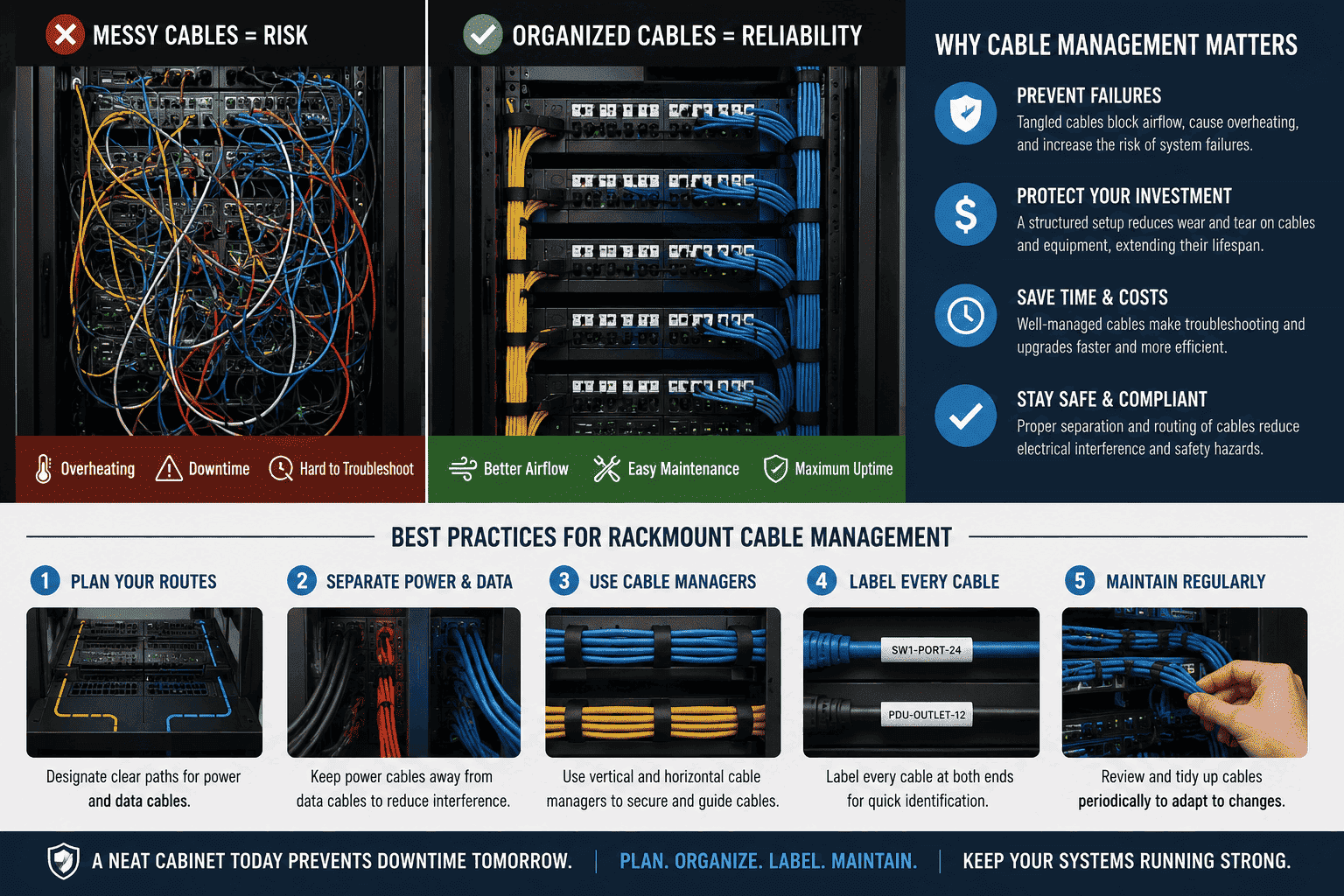
You might think a few messy cables are no big deal. But in my years of providing cabinet solutions, I have seen firsthand how they can bring an entire operation down. It's not just about looking professional; it is about protecting your investment and ensuring your systems run smoothly. Let's look at why this is so critical and how you can get it right.
Why Does Poor Cable Management Lead to Equipment Failure?
Are you worried about your expensive servers failing without warning? The real cause might be the tangled wires inside your rack. That mess of cables could be slowly destroying your hardware.
Poor cable management traps heat, causing components like hard drives and power supplies to overheat and fail.1 It also puts physical strain on ports and connectors. This leads to connection problems and a shorter lifespan for your valuable equipment.
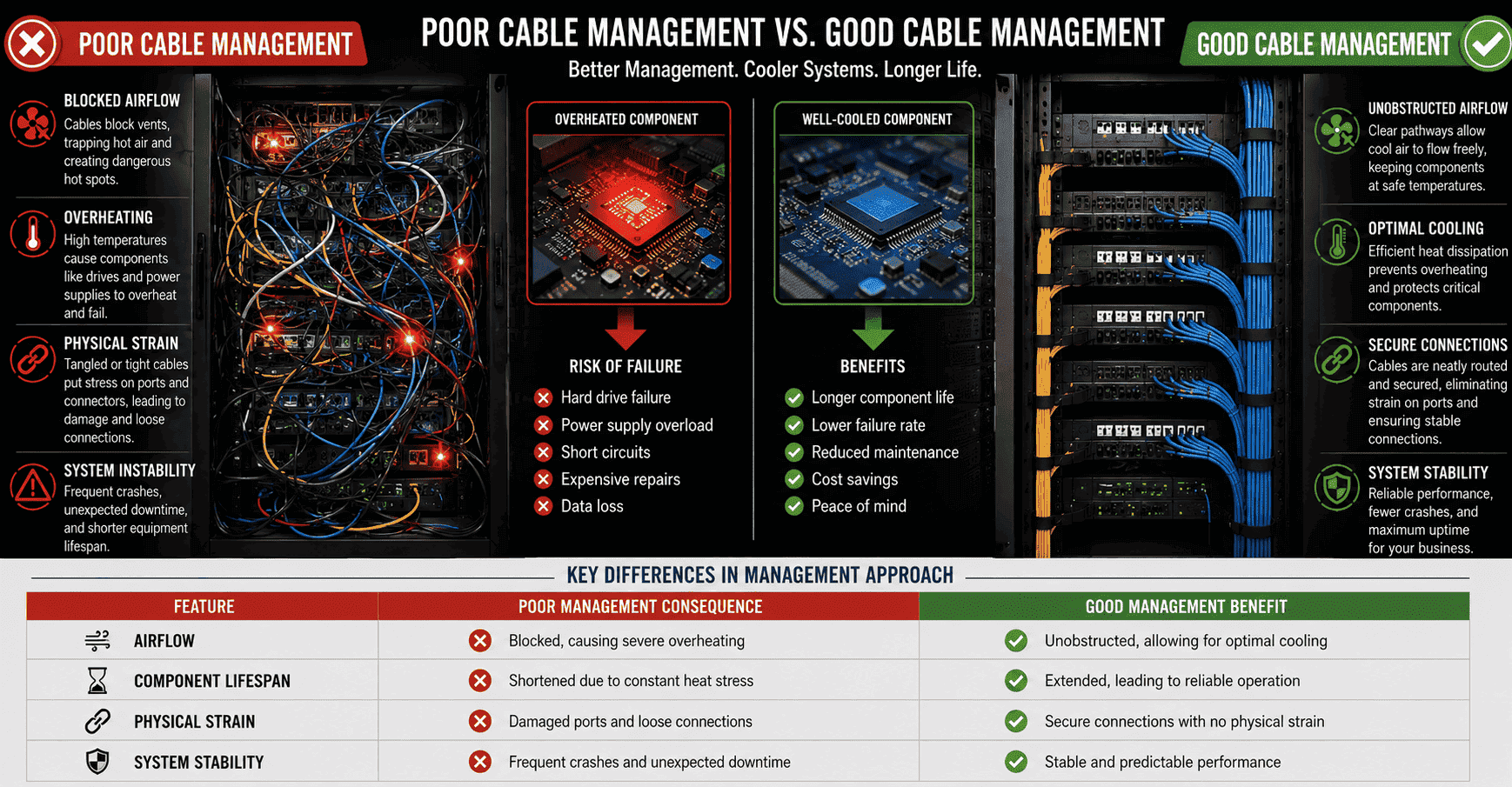
When cables are a mess, they block the airflow inside a server cabinet.2 Servers generate a lot of heat, and they rely on fans and proper ventilation to stay cool.3 If cables block the vents, hot air gets trapped. This creates hot spots where the temperature rises to dangerous levels.4 I've seen this lead to all sorts of problems. A server running too hot for too long is a recipe for disaster. Components like hard drives can burn out5, power supplies can overload, and you might even experience a short circuit. All of this shortens the life of your server. Besides heat, messy cables also create physical stress. When cables hang loose or are pulled tight, they put a strain on the ports they are plugged into.6 This can damage the connectors on both the cable and the equipment, leading to intermittent failures that are incredibly hard to track down.
Key Differences in Management Approach
| Feature | Poor Management Consequence | Good Management Benefit |
|---|---|---|
| Airflow | Blocked, causing severe overheating | Unobstructed, allowing for optimal cooling |
| Component Lifespan | Shortened due to constant heat stress | Extended, leading to reliable operation |
| Physical Strain | Damaged ports and loose connections | Secure connections with no physical strain |
| System Stability | Frequent crashes and unexpected downtime | Stable and predictable performance |
How Do You Create a Professional Cable Management Plan?
Are you facing a jungle of wires in your server rack? It can feel overwhelming and impossible to fix. But with a clear plan, you can easily turn that chaos into perfect order.
To create a professional plan, start by mapping out your cable routes before you install anything. Use vertical and horizontal managers to guide the wires neatly. It is also vital to separate power and data cables to prevent interference. Finally, label every cable at both ends for easy identification.
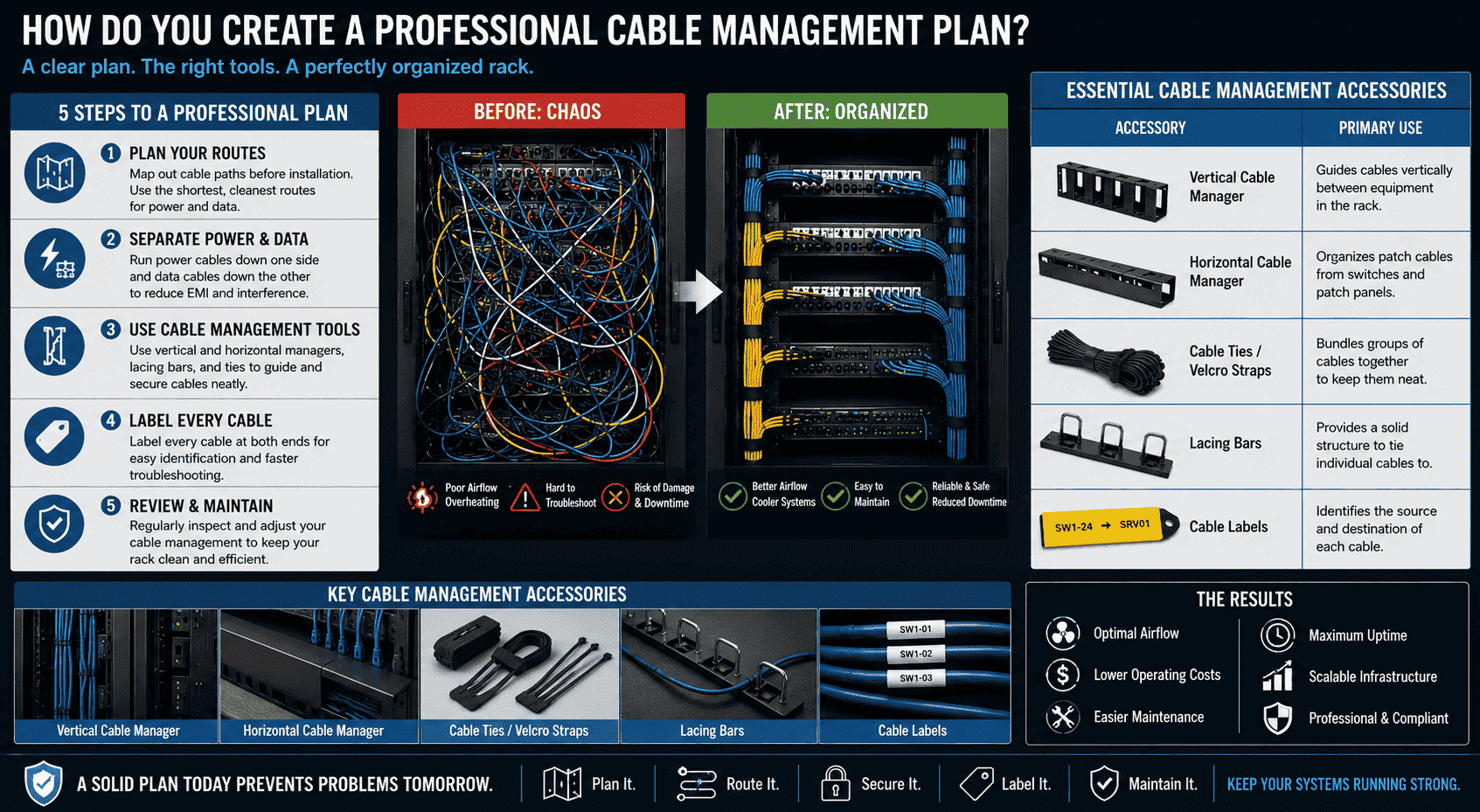
A good cable management plan starts before you even plug in a single cable. First, think about the path your cables will take. The goal is to use the shortest path possible without creating a tangled mess. A common practice is to run power cables down one side of the rack and data cables down the other.7 This separation is important because it reduces electromagnetic interference (EMI), which can disrupt your network signals.8 Next, you need the right tools. As a manufacturer, we often integrate these solutions into our cabinet designs because they are so important. Using vertical and horizontal cable managers helps guide your cables exactly where they need to go. Cable ties or velcro straps are perfect for bundling groups of cables together. For a truly professional job, lacing bars provide anchor points to secure each cable individually. Finally, every single cable must be labeled at both ends.9 This simple step can save you hours of frustration later.
Essential Cable Management Accessories
| Accessory | Primary Use |
|---|---|
| Vertical Cable Manager | Guides cables vertically between equipment in the rack. |
| Horizontal Cable Manager | Organizes patch cables from switches and patch panels. |
| Cable Ties / Velcro Straps | Bundles groups of cables together to keep them neat. |
| Lacing Bars | Provides a solid structure to tie individual cables to. |
| Cable Labels | Identifies the source and destination of each cable. |
What Are the Long-Term Benefits of Tidy Server Racks?
You might wonder if spending time organizing cables really pays off. The initial effort can feel like a chore. However, the long-term rewards for your business are truly massive.
The long-term benefits are very significant. You will see lower operational costs because of less downtime and much easier maintenance. Your entire system will be more reliable, easier to scale, and look professional, helping you pass inspections with ease.
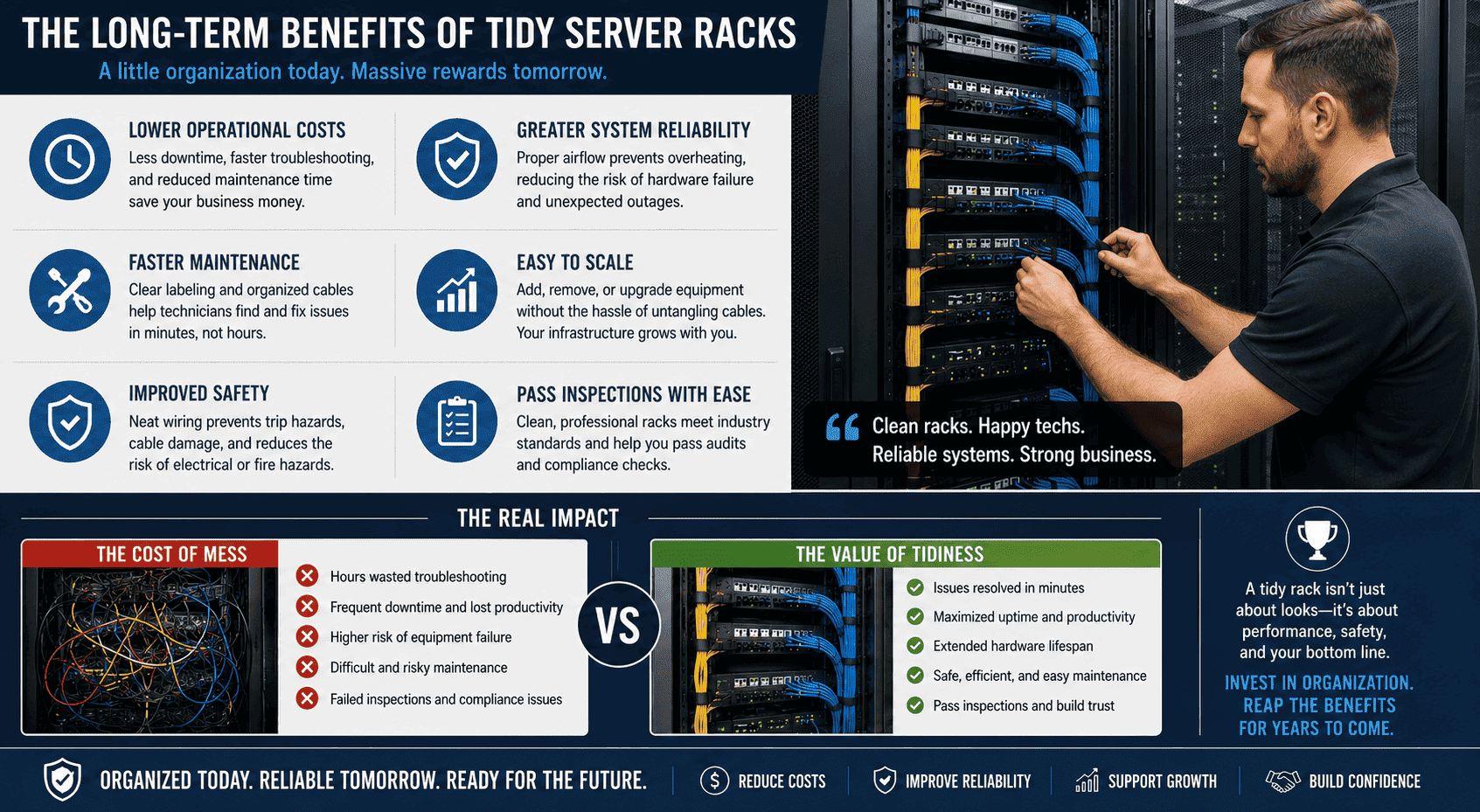
The most immediate benefit is reduced maintenance time and cost.10 I once had a client who faced a critical server outage. Their technician spent two hours just trying to trace the correct network cable in a tangled mess. With proper labeling, that job would have taken two minutes. That downtime cost them thousands of dollars. A tidy rack also makes it much easier to add or replace equipment. When you need to install a new server, you can do it without having to untangle a web of wires. This makes your infrastructure scalable and ready for growth. Safety is another huge factor. Neat wiring prevents trip hazards and reduces the risk of cables getting snagged or damaged.11 More importantly, it ensures proper airflow, which prevents overheating and lowers the risk of fire.12 Many formal data centers and large companies have strict inspection standards. Messy cabling is an automatic failure. A clean, professionally managed rack shows that you are serious about quality and reliability.
Conclusion
In short, managing your server rack cables is not just for looks. It directly improves performance, simplifies maintenance, and ensures safety, making it a critical task for any reliable IT system.
"Achieving Energy-Efficient Data Centers with New ...", https://www1.eere.energy.gov/femp/pdfs/fft_datacenter_presentation.pdf. ASHRAE data-center thermal guidance describes how obstructions to rack airflow and inadequate heat removal can create elevated inlet temperatures and hot spots, supporting the claim that unmanaged cabling may contribute to overheating-related equipment stress. Evidence role: mechanism; source type: institution. Supports: A source should explain that blocked rack airflow and poor thermal management can create overheating risks for IT equipment.. Scope note: This would support the thermal mechanism generally, not prove that every messy rack causes component failure. ↩
"Data Center Airflow Management Retrofit", https://datacenters.lbl.gov/sites/default/files/airflow-doe-femp.pdf. Data-center airflow-management guidance from research and institutional sources identifies obstructions in racks and cabinets, including poorly placed cables, as factors that can impede cooling airflow. Evidence role: mechanism; source type: research. Supports: A source should support that cabling and other obstructions can interfere with intended airflow paths in server racks.. Scope note: The evidence is likely to be general airflow guidance rather than a measurement of the specific rack shown in the article. ↩
"Turning down the heat from data centers - ASU News", https://news.asu.edu/20260518-environment-and-sustainability-turning-down-heat-data-centers. Educational material on data-center cooling explains that IT equipment converts electrical energy into heat and uses fans and ventilation pathways to move that heat away from components. Evidence role: mechanism; source type: education. Supports: A source should explain that server electrical power is converted largely into heat and that fans and ventilation remove that heat.. Scope note: This supports the general thermal principle, not a specific heat output for the servers discussed. ↩
"Data Center Efficiency and IT Equipment Reliability at ...", https://www.energy.gov/sites/prod/files/2013/12/f5/data_center_efficiency_and_reliabilit_at_wider_operating_ranges.pdf. ASHRAE TC 9.9 thermal guidelines define recommended and allowable temperature ranges for IT equipment and discuss hot spots as localized thermal conditions that can exceed intended operating environments. Evidence role: expert_consensus; source type: institution. Supports: A source should define recommended or allowable temperature ranges and explain the risk of localized hot spots.. Scope note: The source would define risk thresholds generally; it would not verify the temperature in any particular cabinet. ↩
"Disk failures in the real world: What does an MTTF of ...", https://www.cs.toronto.edu/~bianca/papers/fast07.pdf. Large-scale hard-drive reliability studies, such as field analyses of disk failures, examine temperature as a factor in drive failure rates and provide empirical context for claims that adverse thermal conditions can affect storage reliability. Evidence role: statistic; source type: paper. Supports: A source should provide empirical evidence on the relationship between hard-drive temperature and failure rates.. Scope note: Such studies may show nuanced correlations rather than proving that heat alone directly causes a drive to 'burn out.' ↩
"[PDF] network-wiring-standard.pdf", https://www.stpetersburg.usf.edu/resources/computing/documents/network-wiring-standard.pdf. Telecommunications cabling installation standards and manuals specify support, bend-radius, and strain-relief practices to prevent excessive mechanical stress on cable terminations and connectors. Evidence role: mechanism; source type: institution. Supports: A source should state that cables should be supported and routed to avoid excessive tension or strain on terminations.. Scope note: The standards support the installation principle but may not quantify the failure rate caused by strained server ports. ↩
"ISO/IEC 11801", https://en.wikipedia.org/wiki/ISO/IEC_11801. Structured-cabling standards and BICSI guidance describe separation and routing practices for power and telecommunications cabling, providing standards-based context for placing them in distinct pathways. Evidence role: expert_consensus; source type: institution. Supports: A source should document that power and communications cabling are commonly separated or routed with spacing considerations.. Scope note: Specific separation distances and routing methods depend on cable type, shielding, voltage, and local code requirements. ↩
"Network Cable Interference Guide: EMI, Crosstalk & Signal Loss", https://www.comms-express.com/infozone/article/cable-interference/. Electrical-engineering and structured-cabling references explain that electromagnetic fields from power conductors can couple into nearby communications cabling and that physical separation is one method used to reduce interference risk. Evidence role: mechanism; source type: education. Supports: A source should explain how electromagnetic interference from power conductors can couple into data cabling and degrade signal integrity.. Scope note: The magnitude of EMI risk depends on shielding, cable category, current levels, grounding, and installation geometry. ↩
"Labeling - Information Technologies", https://it.unm.edu/communications/design-guidelines/design-guidelines-files/labeling.pdf. ANSI/TIA-606 administration standards require systematic identification and labeling of telecommunications infrastructure, supporting the practice of labeling cables and terminations for traceability. Evidence role: expert_consensus; source type: institution. Supports: A source should support the use of cable identifiers and labeling as part of structured cabling administration.. Scope note: The exact label format and placement may vary by standard version and facility policy. ↩
"Structured Cabling Systems Wisconsin | Data Network Experts", https://www.romanelectric.com/structured-cabling-systems-wisconsin-data-network-infrastructure/. Cabling administration standards describe labeling and documentation as mechanisms for managing telecommunications infrastructure and supporting efficient moves, additions, changes, and troubleshooting. Evidence role: general_support; source type: institution. Supports: A source should support that documented, labeled, and structured cabling improves administration and troubleshooting efficiency.. Scope note: This supports the maintenance-efficiency rationale but may not provide a direct dollar-cost estimate. ↩
"1926.416 - General requirements. | Occupational Safety and Health ...", http://www.osha.gov/laws-regs/regulations/standardnumber/1926/1926.416. OSHA workplace-safety materials identify loose cords and cables in walking or working areas as trip hazards, supporting the safety rationale for orderly cable routing. Evidence role: general_support; source type: government. Supports: A source should identify loose cords or cables as workplace trip hazards and recommend keeping walkways and work areas clear.. Scope note: This supports general workplace safety; it does not specifically evaluate hazards inside a closed server rack. ↩
"Data centers are being constructed at a rapid rate globally. But these ...", https://www.facebook.com/theNFPA/posts/data-centers-are-being-constructed-at-a-rapid-rate-globally-but-these-sprawling-/1432097165620816/. Thermal-management guidance for data centers and fire-safety standards for electrical equipment environments recognize adequate cooling and ventilation as controls against overheating, which is a condition associated with increased fire risk. Evidence role: mechanism; source type: institution. Supports: A source should support that proper cooling and ventilation reduce overheating risk, and that overheating is relevant to electrical fire safety.. Scope note: The source may support the risk pathway generally rather than quantifying the fire-risk reduction from tidy cabling alone. ↩
