
How to Choose the Right Server Cabinets?

I have seen good servers fail early because the cabinet was wrong. The problem looks small at first. The cost becomes serious later.
I choose the right server cabinet by checking server depth, load capacity, cooling needs, door type, cable space, and customization needs. I always start with the 19-inch standard, then match cabinet depth and sheet metal strength to the real equipment on site.
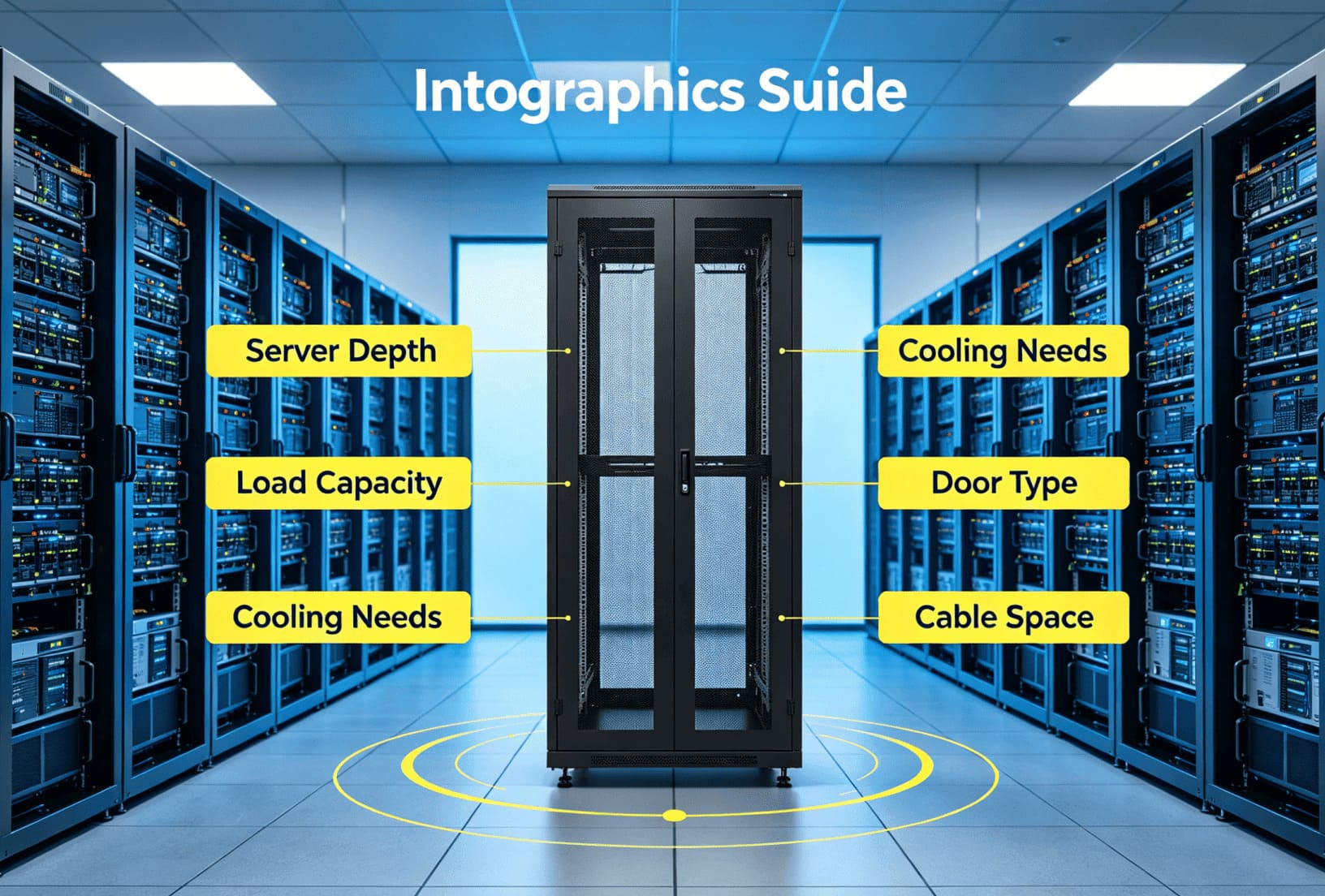
I know many buyers think a server cabinet is just a metal box. I used to hear this view from new customers often. I also saw how one wrong size could block cable management, stop airflow, and make later maintenance painful. I do not start with the cabinet model. I start with the server, the site, and the future plan. I will break down the main points that I check before I recommend a server cabinet.
Why Should I Start With the 19-Inch Standard?
I have seen confusion begin when buyers mix network cabinets and server cabinets. The size looks close, but the use is not always the same.
I start with the 19-inch standard because most servers, switches, patch panels, and rack-mounted devices follow this mounting width. This standard gives me a safe base for equipment installation, future upgrades, and accessory matching.
I Confirm the Basic Standard First
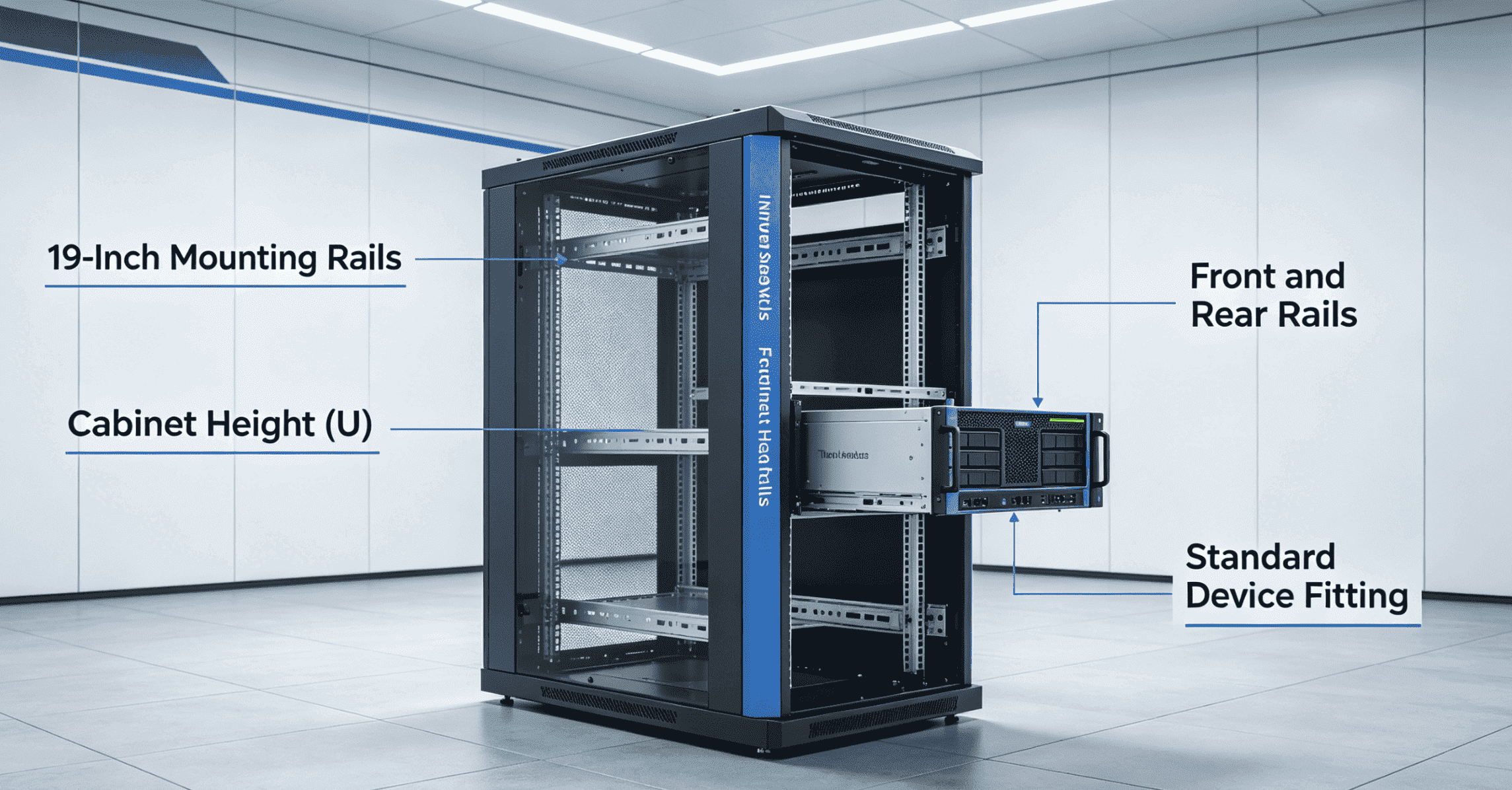
I always confirm the 19-inch rack standard before I discuss depth, height, or doors. The 19-inch size does not mean the outside cabinet width is 19 inches. It means the mounting distance follows the common rack-mounted equipment standard. In many projects, I use 600mm-wide or 800mm-wide cabinets, but the inner mounting rails still follow the 19-inch structure.
I also check the height in U. One U equals 44.45mm. A 42U cabinet can hold more equipment than a 22U cabinet, but I do not fill every space without thinking. I leave space for airflow, cable routing, and future expansion. I have learned that a cabinet that is full on the first day often becomes a problem in the second year.
| Item I Check | What I Confirm | Why I Care |
|---|---|---|
| Mounting width | I confirm 19-inch rails | I need standard device fitting |
| Cabinet height | I count real U demand | I need space for growth |
| Rail position | I check front and rear rails | I need stable installation |
| Accessories | I check shelves, fans, and PDUs | I need easy matching |
I also ask customers what devices they will install. A server cabinet may hold servers, switches, storage devices, UPS units, and cable managers. Each device has different depth, weight, and heat. The 19-inch standard is only the starting point. I use it as the base. I do not use it as the full answer.
How Do I Choose the Right Cabinet Depth?
I have seen many buyers choose a 600mm-deep cabinet because it is common. The problem appears when the server body and cables cannot fit.
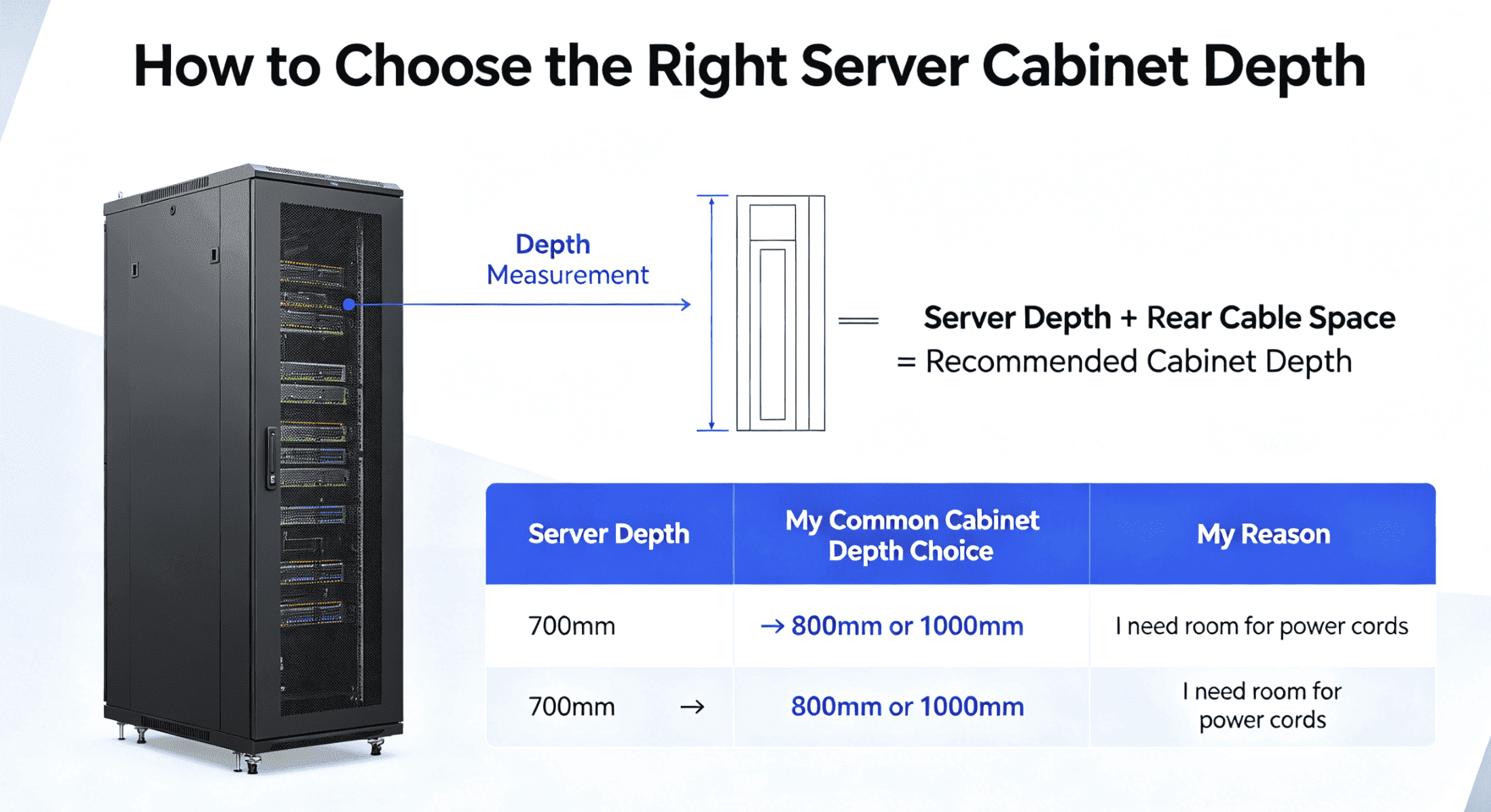
I choose cabinet depth by checking the actual server depth first. If the server depth is 700mm, I usually recommend an 800mm-deep server cabinet because rear cables and power cords need extra space.
I Measure the Server and the Rear Cable Space
I never choose depth only from a product picture. I ask for the server model or the real depth size. A server with a 700mm body cannot fit well into a 600mm-deep network cabinet. The rear power cords, network cables, and air space will extend past the server body. If the rear door presses the cables, the cables may bend too much. The airflow may also become poor.
I often suggest a simple rule. I add rear cable space to the server depth. I also keep front space for airflow and door clearance. If the server depth is 700mm, I recommend an 800mm-deep cabinet as a basic choice. If the cable volume is large, or if the power plugs are long, I may suggest a deeper cabinet.
| Server Depth | My Common Cabinet Depth Choice | My Reason |
|---|---|---|
| 450mm to 500mm | 600mm or 800mm | I need space for cables |
| 600mm | 800mm | I need rear clearance |
| 700mm | 800mm or 1000mm | I need room for power cords |
| 800mm or more | 1000mm or 1200mm | I need safe installation and airflow |
I also check whether the cabinet will use rear cable managers, vertical PDUs, or cooling fans. These parts also take space. I have seen projects where the server fit inside the cabinet, but the door could not close after the PDU was installed. That is why I treat depth as a system issue, not a single number.
How Do I Check Load-Bearing Capacity?
I have seen cabinets deform when heavy servers were placed inside without a load plan. The cabinet looked strong at first. The structure failed slowly.
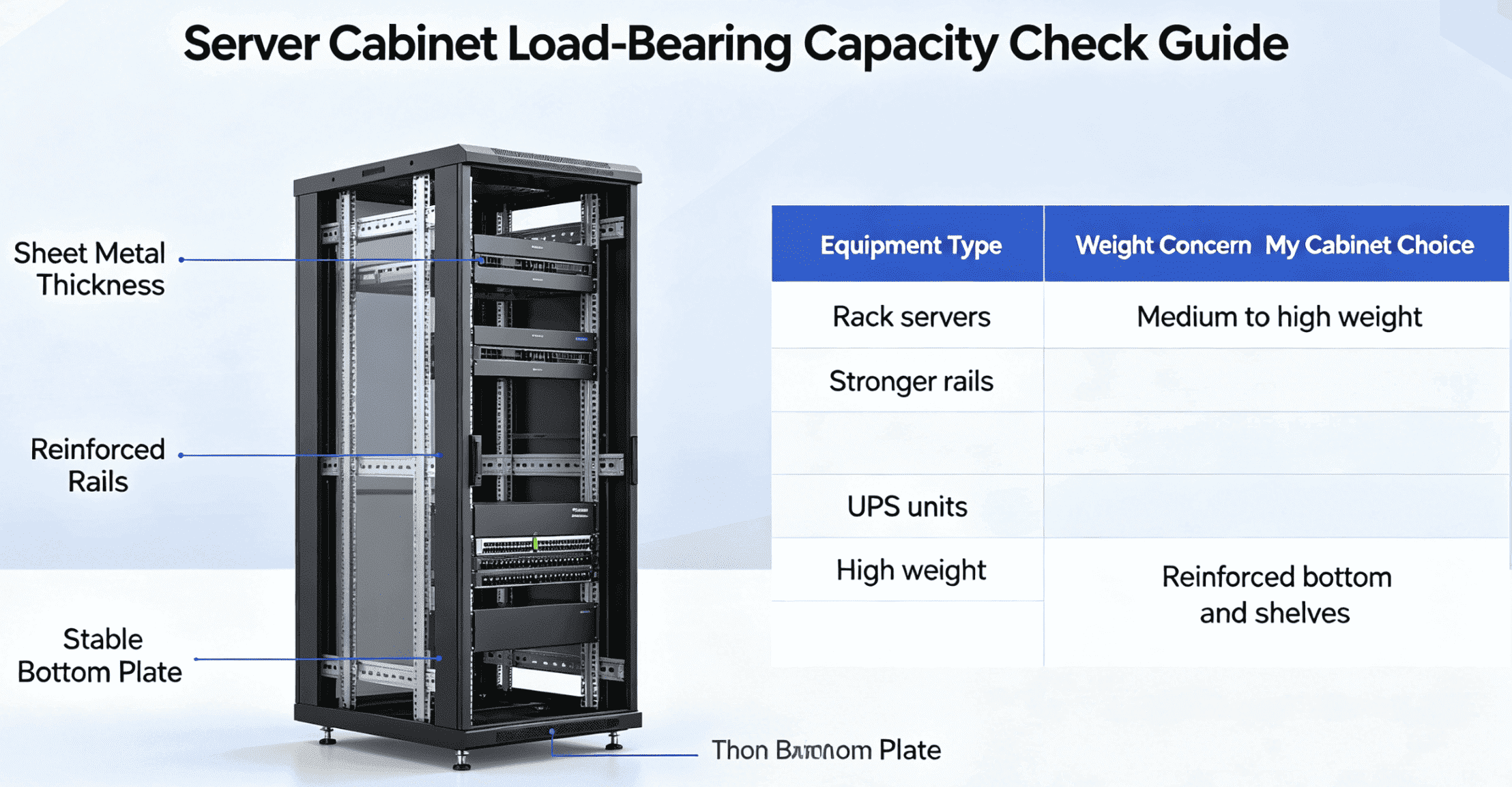
I check load capacity by counting the number and weight of servers, UPS units, and accessories. I then choose a cabinet with suitable sheet metal thickness, reinforced structure, and stable rails.
I Match Sheet Metal Thickness to Real Weight
I do not only ask how many U the customer needs. I ask what will be installed in each U. A light switch and a heavy server may occupy the same rack height, but they do not place the same stress on the cabinet. A UPS can be very heavy. Storage devices can also add strong pressure to the bottom and rails.
In our production, we use sheet metal structures based on the project need. I check the frame, mounting rails, bottom plate, and side panels. I also check whether the customer needs fixed shelves or sliding shelves. If many heavy servers will be installed, I prefer stronger materials and reinforced load-bearing design. I also check whether the cabinet will be moved after installation. Moving a fully loaded cabinet creates extra stress.
| Equipment Type | Weight Concern | My Cabinet Choice |
|---|---|---|
| Switches and patch panels | I see low to medium weight | I use standard rack structure |
| Rack servers | I see medium to high weight | I use stronger rails |
| UPS units | I see high weight | I use reinforced bottom and shelves |
| Storage devices | I see high and dense weight | I use heavy-duty structure |
| Mixed equipment | I see uneven weight | I plan the layout carefully |
I also suggest placing heavy devices lower in the cabinet. This keeps the center of gravity low. It also improves safety during maintenance. I tell customers not to judge load capacity only by the outside look. Good welding, accurate bending, stable coating, and strict inspection all affect long-term strength. I see load-bearing capacity as a safety issue, not only a technical number.
Should I Choose a Glass Door or a Mesh Door?
I have seen buyers choose a door only because it looks better. The door choice affects heat, dust, noise, and daily operation.
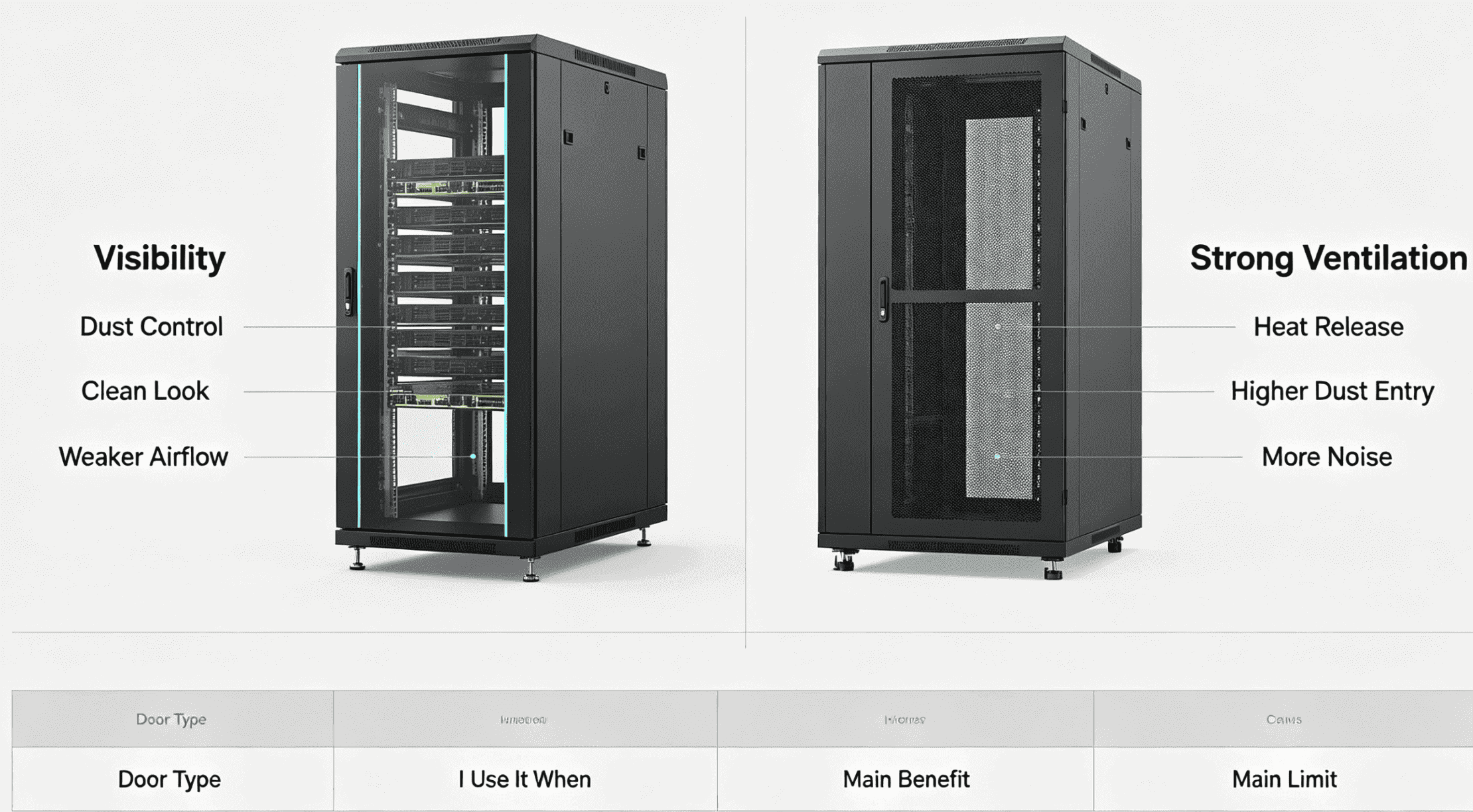
I choose glass doors when visibility and dust control matter more. I choose mesh doors when ventilation and heat release matter more. The site environment decides the better choice.
I Match Door Type to the Site Environment
I ask customers about the room before I suggest a door. A glass front door gives a clean look. It also allows users to see indicator lights without opening the cabinet. This is useful in some offices, monitoring rooms, and light communication sites. The glass door can reduce direct dust entry to some degree, but it does not provide the best airflow by itself.
A mesh door is better for heat release. Servers produce more heat than many network devices. If the room has good air conditioning and the cabinet needs strong airflow, I prefer a mesh front door and a mesh rear door. The open rate of the mesh also matters. A higher open rate helps air move through the cabinet.
| Door Type | I Use It When | Main Benefit | Main Limit |
|---|---|---|---|
| Glass door | I need visibility and clean look | I can see device lights | Airflow is weaker |
| Mesh door | I need strong ventilation | Heat leaves faster | Dust may enter more easily |
| Steel door | I need security or protection | Structure is strong | Visibility is low |
| Mixed doors | I need balance | I can match site needs | Design needs more checking |
I also check whether the site is dusty, hot, wet, or controlled by air conditioning. If the cabinet is in a clean data room, mesh doors usually work well. If the cabinet is in a public place, security and appearance may matter more. I also consider noise. Mesh doors can let more fan noise pass through. Door selection is not only about style. It is part of the cooling and protection plan.
When Do I Need a Customized Server Cabinet?
I have seen standard cabinets work well in many projects. I have also seen standard cabinets fail when the site or equipment had special limits.
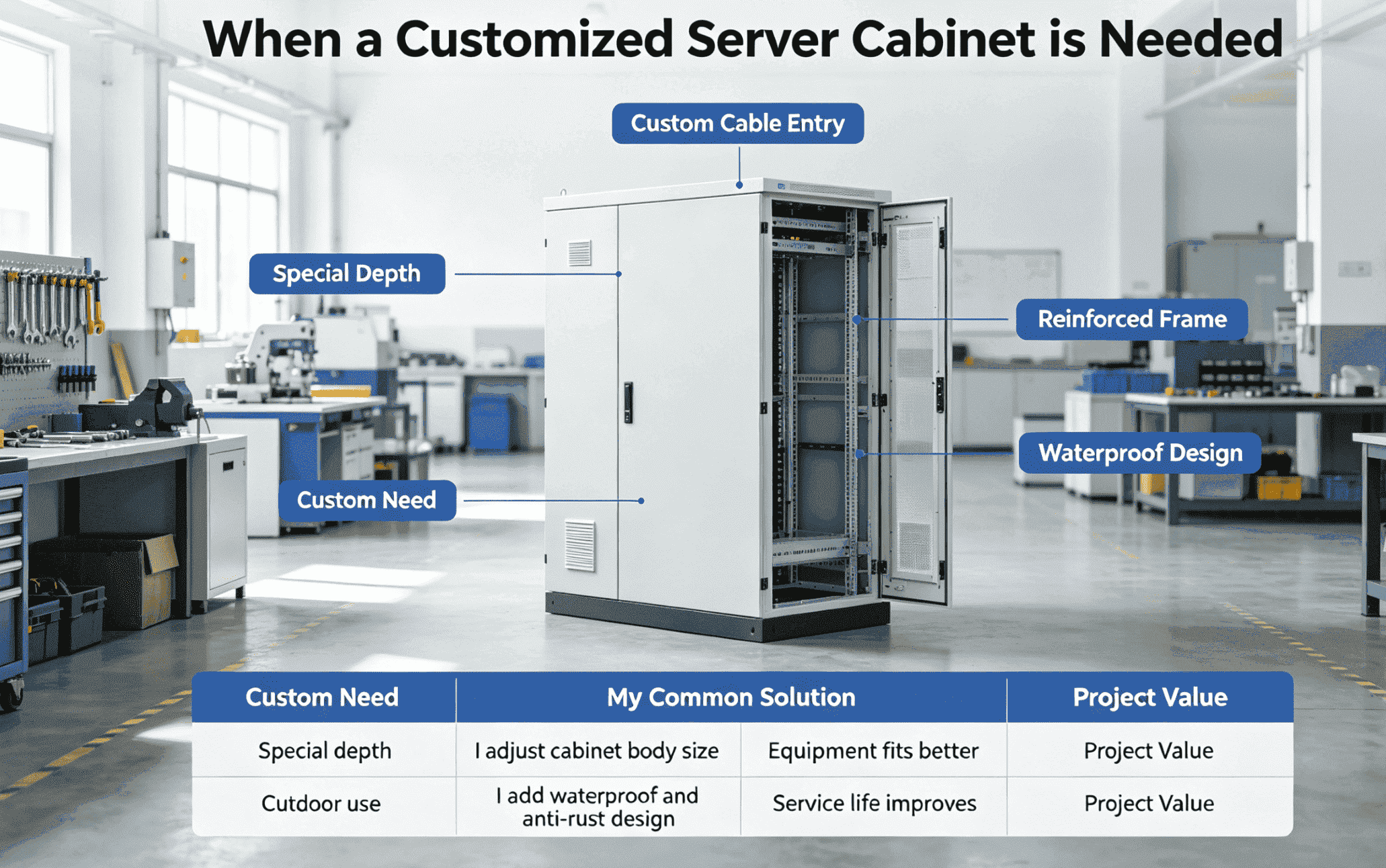
I choose customization when standard size, structure, door type, punching, waterproof level, anti-rust treatment, or load design cannot meet the real project need. Customization helps me solve site limits directly.
I Use Custom Design to Fit Real Projects
I believe customization is useful when the buyer has special equipment, a narrow site, special cable entry, outdoor use, or mixed devices. In our factory, we support non-standard customization and small orders. This matters to many overseas customers because not every project needs a full container or a common model. Some projects need one special cabinet first. Some projects need a sample before larger orders.
I often customize cabinet depth, width, height, door type, fan position, cable holes, lock type, color, and coating. I also customize outdoor waterproof cabinets and anti-rust treatment when the environment requires it. For industrial control, power, security, and communication projects, the cabinet often needs special punching and reinforced structures.
| Custom Need | My Common Solution | Project Value |
|---|---|---|
| Special depth | I adjust cabinet body size | Equipment fits better |
| Special cable entry | I add top or bottom holes | Wiring becomes easier |
| High load | I reinforce frame and rails | Safety improves |
| Outdoor use | I add waterproof and anti-rust design | Service life improves |
| Special door | I use mesh, glass, steel, or mixed doors | Site demand is matched |
| Small order | I support one-piece orders | Trial cost becomes lower |
I also pay attention to production control. Customization does not mean random work. I need accurate drawings, clear material choices, and strict inspection. Our sheet metal process includes laser cutting, CNC bending, welding, powder coating, and assembly. I use this process to keep size and structure stable. A customized cabinet should solve a problem without creating a new one.
How Do I Choose a Reliable Server Cabinet Manufacturer?
I have seen buyers focus only on the lowest price. The risk appears later through weak frames, bad coating, slow response, and poor support.
I choose a reliable manufacturer by checking production ability, material control, quality inspection, customization experience, delivery speed, and after-sales response. A good cabinet supplier helps before and after production.
I Look Beyond the Quotation Sheet
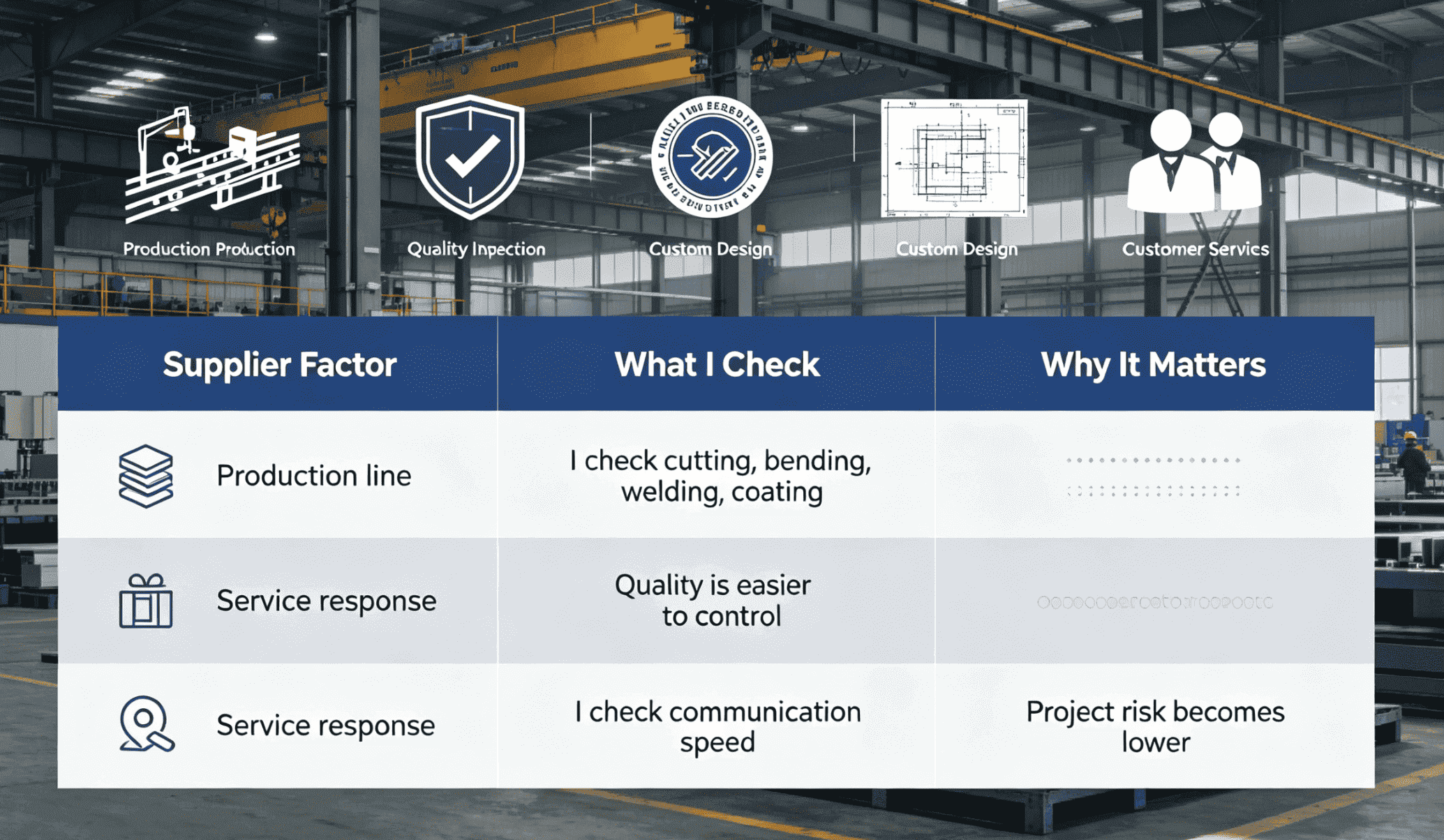
I do not believe a low price is useful if the cabinet cannot fit the server or cannot carry the weight. I look at the factory’s real production ability first. A complete sheet metal line gives better control over cutting, bending, welding, coating, and assembly. I also ask how the factory checks raw materials, dimensions, coating quality, welding strength, and load structure.
Our company was founded in 1999. I mention this because long industry experience helps me understand many special cases. I have worked with customers from Europe, America, and Southeast Asia. Many of them need flexible customization, small-batch production, and fast delivery. I know that overseas buyers need clear communication and steady updates. They also need support before the order is placed.
| Supplier Factor | What I Check | Why It Matters |
|---|---|---|
| Production line | I check cutting, bending, welding, coating | Quality is easier to control |
| Material quality | I check cold-rolled steel, stainless steel, or galvanized steel | Structure and life are affected |
| Quality system | I check ISO9001 process | Inspection becomes more stable |
| Custom ability | I check design and drawing support | Non-standard needs can be met |
| MOQ policy | I check small-order support | Buyers can test the market |
| Service response | I check communication speed | Project risk becomes lower |
I also value integrity. I prefer a supplier who says what can be done and what cannot be done. If a site needs an 800mm-deep cabinet, I should not sell a 600mm cabinet just because it is available. If the load is heavy, I should not suggest a weak structure. A good manufacturer protects the buyer’s project, not only the current order.
Conclusion
I choose server cabinets by matching depth, load, door type, cooling, site needs, and customization. I start with the server, not the catalog.
